
What is answerLoops?
Prepare and review answers from your documentation across connected support channels.
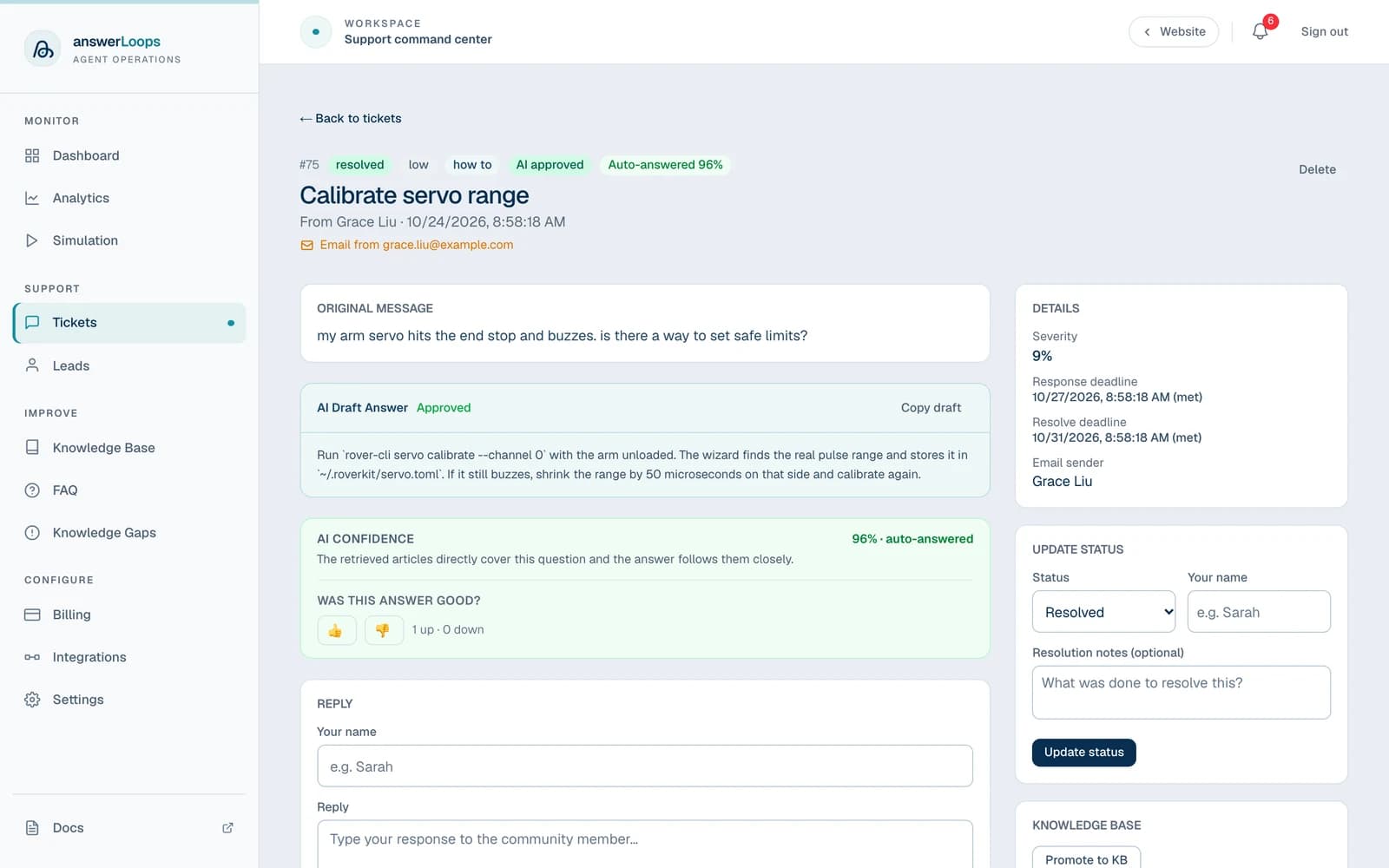
answerLoops turns your documentation into support answers wherever your community asks. It collects questions from connected channels, drafts an answer from your workspace knowledge, and has a separate AI review the draft before anything goes out. Your team controls which channels can send qualifying replies automatically, and everything else waits for a person.
It works with developer, art, crypto, course, membership, and general-interest communities. You can also add the chat widget to any website or documentation site that supports custom JavaScript.
- QuestionFrom any channel
- DraftFrom your knowledge
- ReviewA second AI checks it
- ReplySent, or sent to a person
Fixes and gaps improve the next answer
How it works
- Receive the question. A message in a connected channel becomes a ticket with its source attached.
- Retrieve knowledge. answerLoops searches relevant sources for material to answer the question. The public widget uses published knowledge.
- Draft and review. One AI step prepares the answer; another checks it against the available evidence.
- Send or review manually. Automatic replies must be enabled and meet the configured confidence threshold. Other drafts remain available to your team.
- Maintain knowledge. Promote useful resolved answers and update articles as your product changes.
Confidence is not correctness
A confidence score is an AI assessment, not a guarantee that an answer is correct. Test representative questions before enabling automatic replies.
Where it runs
Connect the places your community already asks. Select a logo to open its setup guide.
Who it is for
- Community managers who answer the same questions in Discord, Slack, Discourse, or Circle every week and want the repeat questions handled first.
- Open-source maintainers who field questions in GitHub issues and discussions and want drafts grounded in their docs.
- Support and success teams who want one queue for chat, email, and widget conversations, with a person always able to step in.
- Course, membership, and creator businesses who want members to get answers from their own material at any hour.
Capabilities
| Feature | What it does |
|---|---|
| AI deflection | Sends qualifying answers automatically when enabled for a channel. |
| Multi-channel ingest | Collects questions from Discord, Slack, Discourse, Circle, GitHub, Telegram, email, Google Chat, and a website widget. |
| Knowledge base | Imports URLs, files, GitHub content, Notion pages, and promoted resolutions. |
| Knowledge gaps | Identifies questions that may need better documentation; Pro and Enterprise. |
| Human escalation | Routes follow-up notifications to configured recipients; Pro and Enterprise. |
| CSAT scoring | Records customer ratings on supported channels; Pro and Enterprise. |
| Simulation mode | Tests the answer workflow without sending live replies; Pro and Enterprise. |
| Ticket list | Collects requests, drafts, replies, and status in one queue. |
| Multi-provider AI | Uses your supported provider account; custom endpoints require Enterprise or self-hosting. |
| Website widget | Adds support chat and lead capture to your site. |
| Billing | Hosted plans with monthly answer allowances, or a self-hosted edition without subscription fees. |
Ingest channels
| Channel | How it connects | What it ingests |
|---|---|---|
| Discord | OAuth installation (cloud) or bot token (self-host) | Text channel messages, forum thread posts, and replies |
| Slack | OAuth installation or polling mode | Channel messages |
| Discourse | REST API + webhook | Topics and posts in watched categories |
| Circle | API token | Space posts and comments |
| GitHub | GitHub App webhook | Issues, issue comments, Discussions, discussion comments |
| Telegram | Webhook via bot token | Messages in configured chats |
| Provider-agnostic inbound webhook | Any inbound email forwarded to the webhook URL | |
| Website widget | Embeddable <script> tag | Widget chat sessions |
| Google Chat | Connect-code space pairing | Messages in the paired space |
Choose a deployment
Cloud
Self-hosted
Where to go next
Cloud quickstart
Self-host quickstart
Product guide
Integrations
Billing plans
For a machine-readable overview, use /llms.txt. The full documentation is available at /llms-full.txt.