
FAQ Generator
Turn the past week's resolved tickets into a ready-to-copy FAQ.
The FAQ Generator turns what your team resolved this week into a structured FAQ, written as clean question and answer pairs and grouped by topic. The result reflects what your community is actually asking, not what you assumed they would ask when you wrote your original docs. Open FAQ from the Improve group in the sidebar. It is available on every plan.
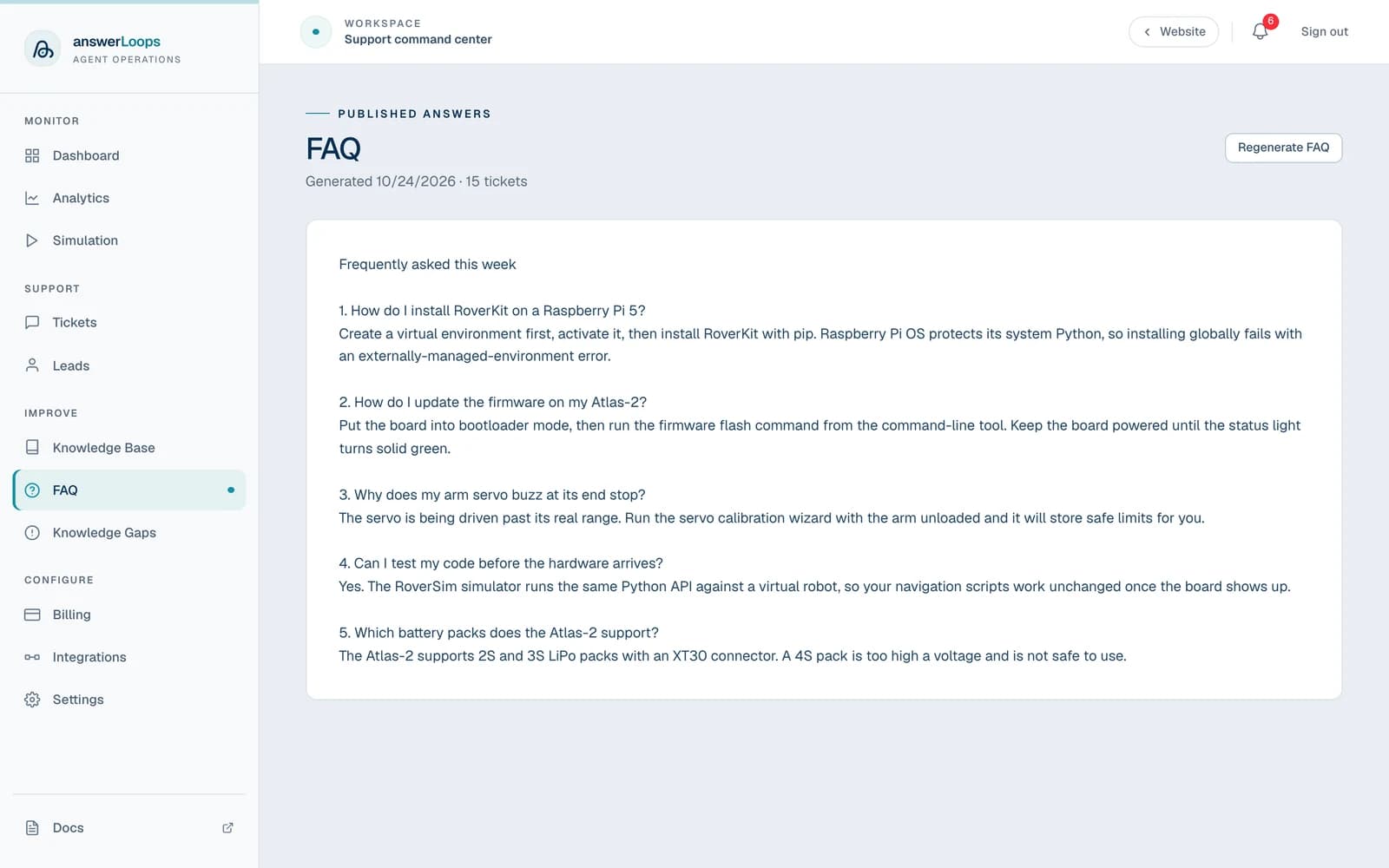
The screenshot shows a demo workspace with sample content. Your own FAQ and ticket counts will differ.
Generate a FAQ
Open FAQ in the sidebar.
Click Regenerate FAQ. If you have never generated one, the page shows Generate from this week's tickets instead.
Wait for the button to finish Generating. The new FAQ replaces the one on the page, and the line above it shows the date and how many tickets it covers.
Review the text and copy it to your docs site, a Notion page, a Discord #faq channel, or your GitHub wiki.
Generating is always something you start yourself. answerLoops does not publish the FAQ anywhere, so you stay in control of where it goes.
What goes into it
The generator looks at every ticket marked resolved or closed in the last 7 days. Open and in-progress tickets are left out. It groups those tickets by category, then asks the AI to write a clean FAQ with a heading for each category and clear, self-contained answers.
For each ticket, the AI sees a short summary of the question and the resolution notes your team wrote. A ticket resolved without notes is treated as "resolved by team", which gives the AI little to work with. The more specific your resolution notes, the more useful the FAQ.
The output has no ticket numbers or internal references, so it is safe to paste into a public place. Read it through first anyway, because it is AI-written. Several tickets that ask the same thing can be merged into one entry.
FAQ history and API access
Every time you generate a FAQ, answerLoops saves a snapshot with the full text, the number of tickets included, and the calendar week it was generated in (Monday to Sunday). The FAQ page always shows the most recent snapshot. Your own tools can read the same latest FAQ through the Agent API or the get_faq tool in MCP.