
Product feedback
Share feedback with the answerLoops team and follow product updates without leaving the dashboard.
Tell the answerLoops team what is working, what is missing, and what you would change, and see what they have shipped in response. The feedback board lives inside your dashboard, so there is no separate site to visit. Anyone in a workspace can leave feedback, and it is available on every hosted plan.
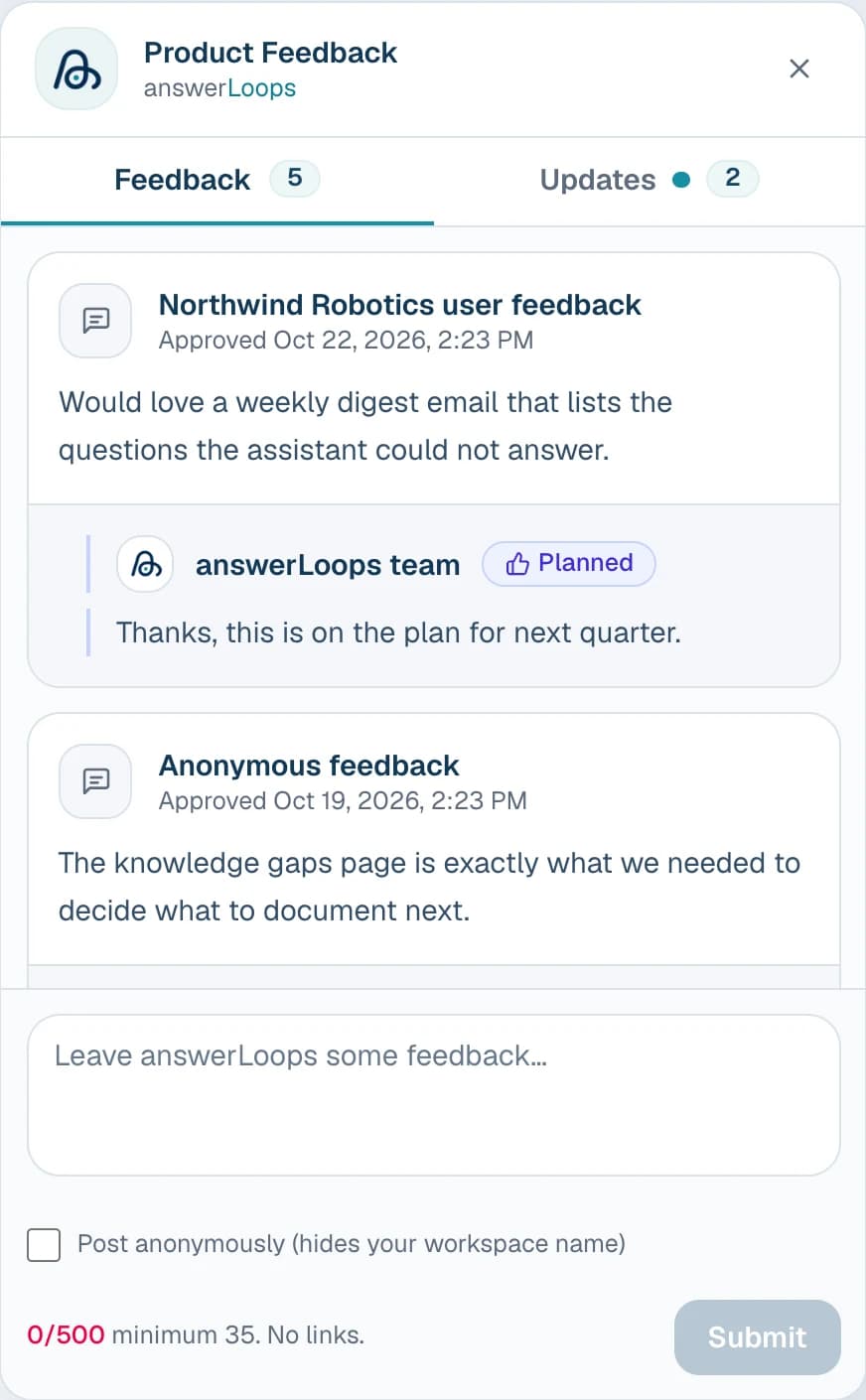
The screenshot shows a demo workspace with sample entries.
Open the feedback board
The feedback widget sits in the bottom-right corner of every dashboard page, in every workspace. Collapsed, it is a small pill with a live count of approved feedback, the word Feedback, and the answerLoops logo. A small dot on the logo means the team has posted an update you have not seen yet.
Select the pill to open the Product Feedback panel. Select the close button, or press Escape, to collapse it again.
Leave feedback
Write your feedback
Type in the box at the bottom of the Feedback tab. It needs at least 35 characters and can be up to 500. A counter shows how far along you are. Links are not allowed.
Choose how it appears
Entries show your workspace name by default. Tick Post anonymously to hide it.
Submit
Select Submit. You will see a short thank-you message.
New feedback is reviewed before other people can see it. Until it is approved, only you see it, marked Pending review. An entry that is not approved stays visible to you as Not approved. You can send up to five entries an hour.
Read what others have shared
The Feedback tab lists approved feedback from people across answerLoops. Each entry shows the workspace it came from, or "Anonymous feedback" when the author chose to hide it, along with the date it was approved. Replies from the answerLoops team appear directly beneath the entry they answer.
Follow product updates
The Updates tab is a feed of what the answerLoops team has recently shipped, newest first. The number beside the tab is how many updates are posted. Opening the tab clears the new-update dot.
Live updates
The panel and the count on the collapsed pill update on their own when feedback is approved, replied to, or a new update is posted. You do not need to refresh the page.
Availability and data
The feedback board is part of the answerLoops-hosted product. It collects feedback on answerLoops itself, so self-hosted deployments do not show it.
When a workspace is permanently deleted, the feedback its members submitted is deleted with it.