
Simulation Mode
Dry-run the AI pipeline against past tickets without writing to the database.
Simulation mode lets you test how an AI setup would have performed on real past tickets before you change anything in production. It replays your recent tickets through the answering pipeline with a model and confidence threshold you choose, then compares what the AI would have done with what actually happened. Nothing is created, changed, or sent: no tickets are touched, and no messages go to customers. Open Simulation from the Monitor group in the sidebar.
Simulation needs the Pro plan or above. Self-hosted deployments have every feature unlocked.
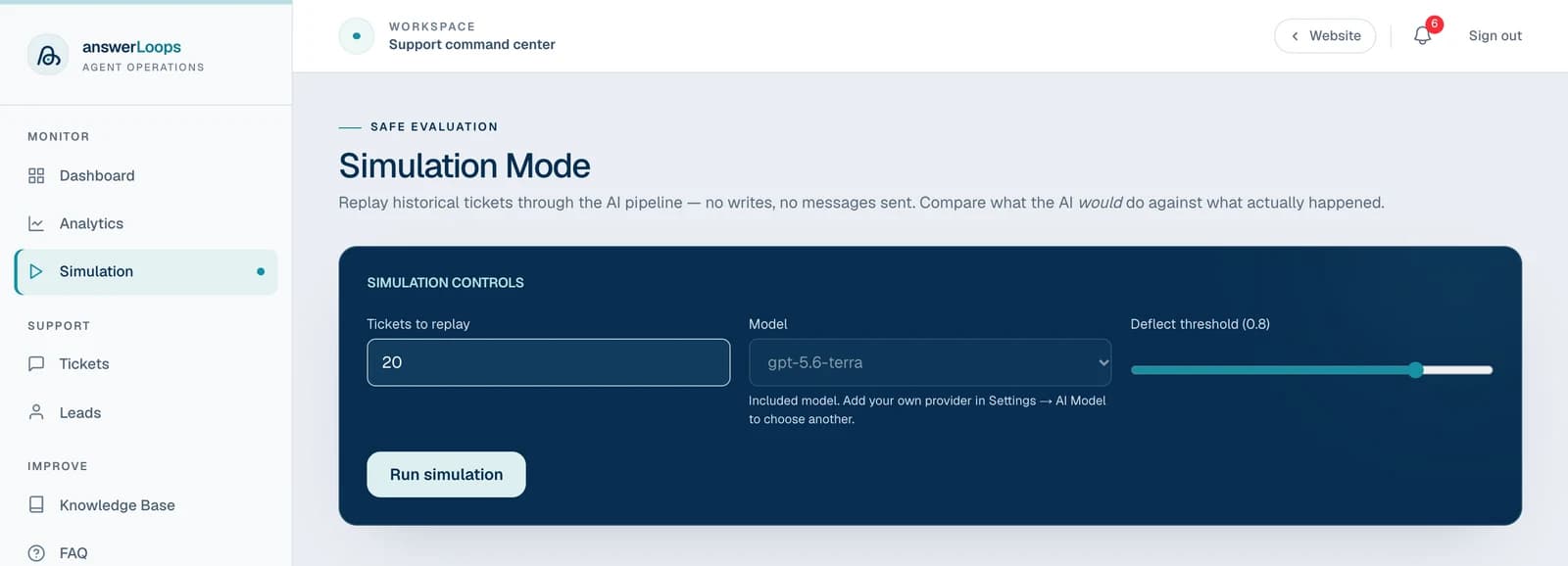
Run a simulation
Go to Simulation in the sidebar.
Set Tickets to replay, choose a Model, and drag the Deflect threshold slider. The threshold moves in steps of 0.05.
Click Run simulation. A live panel shows each ticket moving through searching the knowledge base, generating an answer, and grading confidence.
Review the summary cards, the comparison line, and the per-ticket table.
Which models you can choose depends on your setup. With your own AI provider, you pick from that provider's models. On a hosted plan using included AI usage, the picker is locked to the included model, and the run counts toward your included AI usage for answers. Add your own provider in Settings → AI Model to choose another.
What each replay does
For each of your most recent tickets, whatever its status, the simulation:
- Searches your knowledge base for the three closest articles.
- Has the chosen model write an answer from them, using a standard support-agent prompt.
- Grades the answer's confidence.
A ticket would be deflected when the confidence meets your threshold and the answer fully addresses the question. In the real pipeline, a ticket counts as Actual deflected when the AI's reply was posted automatically. If the AI becomes unavailable partway through, for example because included usage runs out, the run stops, shows the tickets it finished, and explains why.
A simulation is an approximation of live behavior: it uses a standard prompt and the three closest articles, so real answers can differ. Treat its numbers as a guide for comparing models and thresholds against each other.
Read the results
The summary cards show:
| Card | What it means |
|---|---|
| Tickets | How many tickets were replayed |
| Would deflect | The share of tickets the AI would have answered automatically in this run |
| Actually deflected | The share that were answered automatically in production |
| Match rate | How often the simulation and production reached the same outcome |
| Avg confidence | The mean confidence across all replayed tickets |
| Avg time | The mean time the AI took per ticket |
A line below the cards sums it up, saying whether this model and threshold would deflect more tickets than production, fewer, or the same.
The Per-ticket results table has one row per ticket:
| Column | What it shows |
|---|---|
| ID | The ticket number |
| Question | The question text, with a Sim answer you can expand to read the simulated reply |
| Category | The ticket's category |
| Confidence | The confidence the AI had in the simulated answer |
| Sim deflect | Auto if it would have been answered automatically at your threshold, otherwise Human |
| Actual | Auto or Human, as it really happened |
| Match | A check mark when simulation and reality agree, a cross when they differ |
| Reasoning | A short note on why the answer was graded as it was |
A ticket that fails during the run is shown with an error answer and zero confidence, and it counts as not deflected.
What to use it for
- Test a new model before switching in production.
- See the impact of raising or lowering the confidence threshold.
- Diagnose why certain questions are not being deflected, by reading the reasoning on the rows where simulation and production disagree.
- Check whether new knowledge base articles improve results on the questions that used to fail.