
See which questions still need an answer
See member questions from connected channels in one inbox. Each ticket keeps the original question, replies, and any deadline together so teammates can pick up the conversation.
How tickets work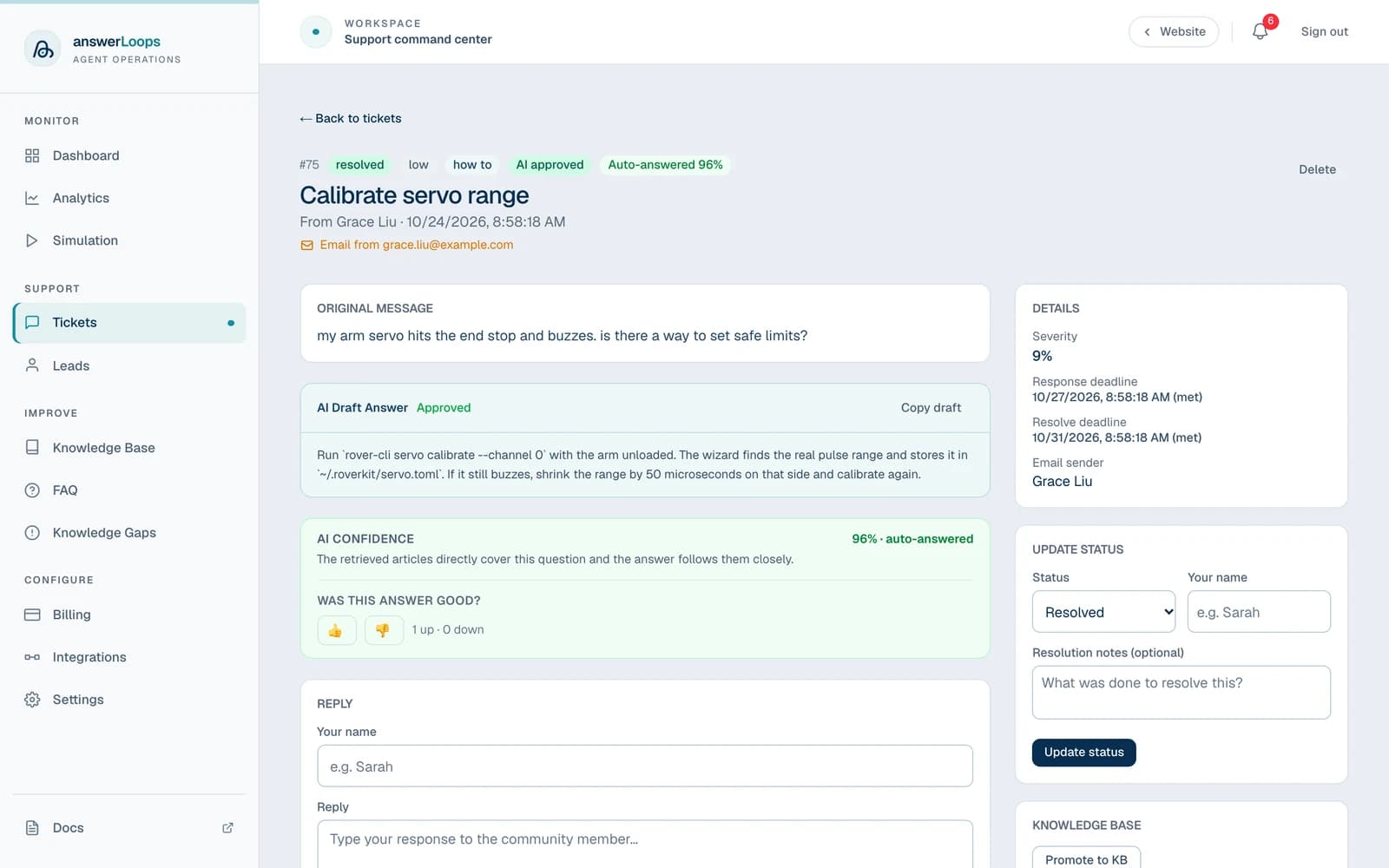
Turn your existing knowledge into trusted answers that keep members engaged.
No card required. Every feature is free for 14 days, with no obligation.
Members ask in the channels they already use.
Where can I watch the workshop replay?Community chat · Member help
AnswerLoops finds the relevant articles and drafts a reply.
A second AI checks that the reply matches its sources.
Members get a reply where they asked. Your team can take over when more help is needed.
Works wherever your community asks
Website chat widget
Help visitors take the next step without leaving your site. The widget uses published articles from the same knowledge base that supports your community.
They open the chat bubble on your site or docs. No account or sign-up needed.
Only the knowledge-base articles you publish. Past tickets and internal notes are never used.
Written in the visitor’s language, with steps, links, or contact options when they help.
Not covered by your articles? The chat offers to take the visitor’s email so your team can follow up. On Pro and Enterprise, the question also lands in your Review queue so you can write the missing article.
Install the website chat widgetAI drafts replies from your documentation, then a separate AI review checks them against their sources. Your team decides which channels can send qualifying replies automatically.
In Discord, Slack, or another connected channel. answerLoops saves it as a ticket with the full conversation.
It finds the knowledge-base articles that cover the question and cites them in the reply.
The Review agent checks the reply against those same articles and scores how confident it is.
Then your team decides. By default nothing is posted until someone approves, edits, or dismisses the answer. Turn on auto-reply for a channel and only answers the Review agent is confident in post on their own. The rest still come to your team.
See the reply settingsInside the workspace
Manage questions from connected channels in one queue. When your team resolves a recurring question, save the answer as a knowledge base article that answerLoops can draw on for future member and customer questions.
See member questions from connected channels in one inbox. Each ticket keeps the original question, replies, and any deadline together so teammates can pick up the conversation.
How tickets workSet response and resolution targets for your team. The dashboard shows what the AI answered on its own, what still needs a person, and every ticket that has missed its target, kept apart from the rest of the queue.
Tour the dashboard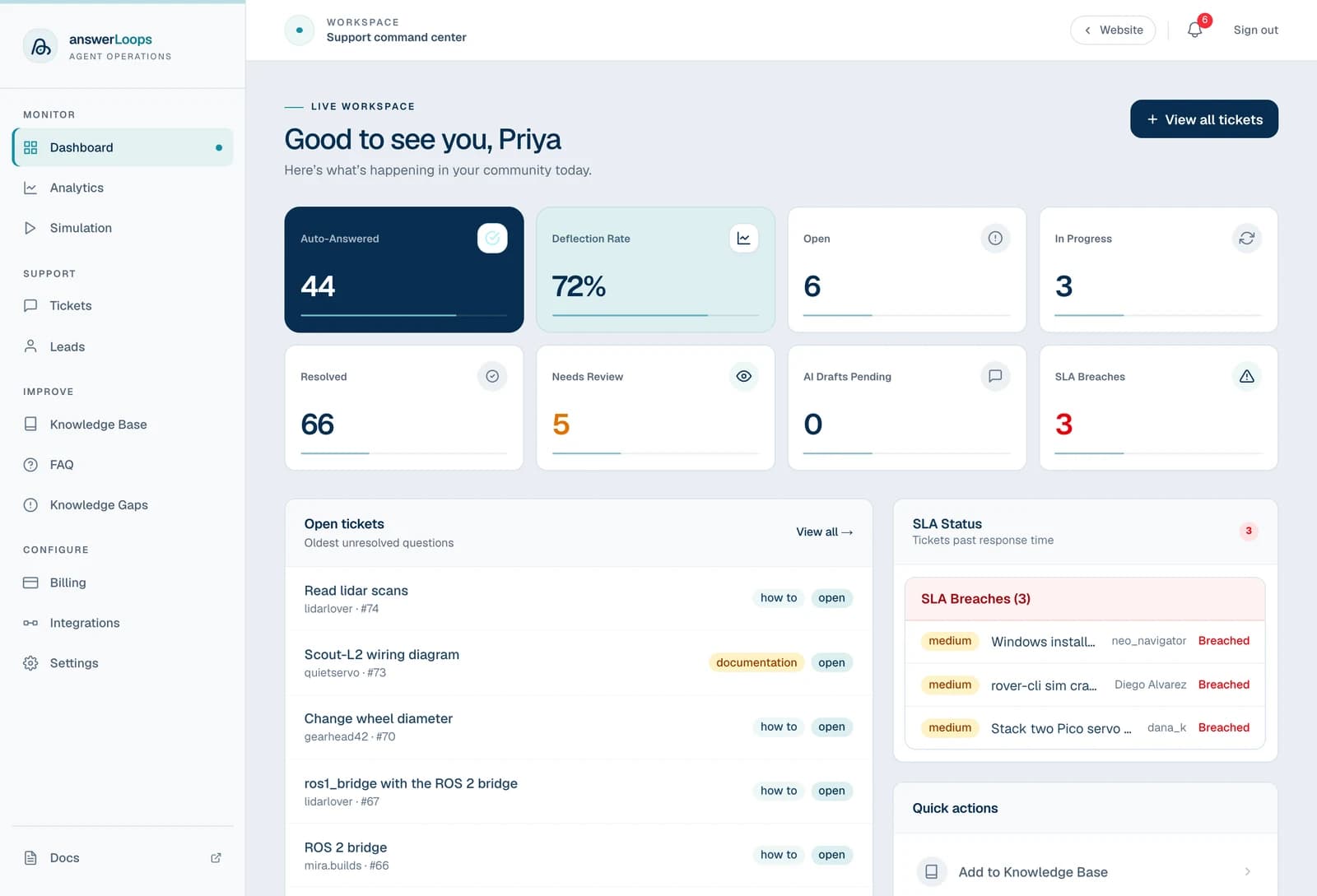
See the questions the AI couldn’t answer, most-asked first, and why: it needed a person, it wasn’t confident, or no article covers it. Start the missing article from the question in one click. Available on Pro and Enterprise.
How knowledge gaps work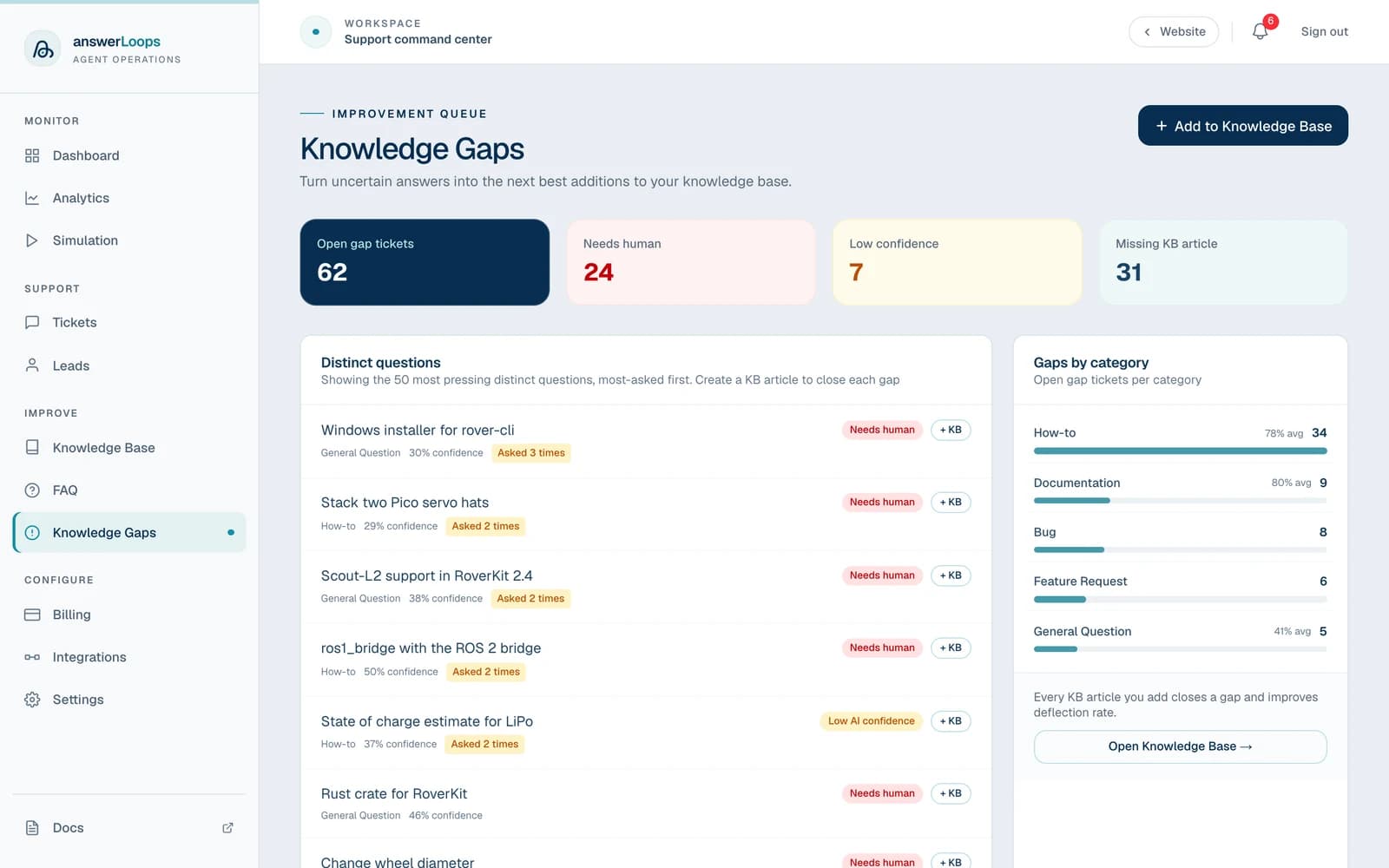
Track how many questions AI resolves and how much time it saves your team. On Pro and Enterprise, see how customers rate the answers.
Read about analytics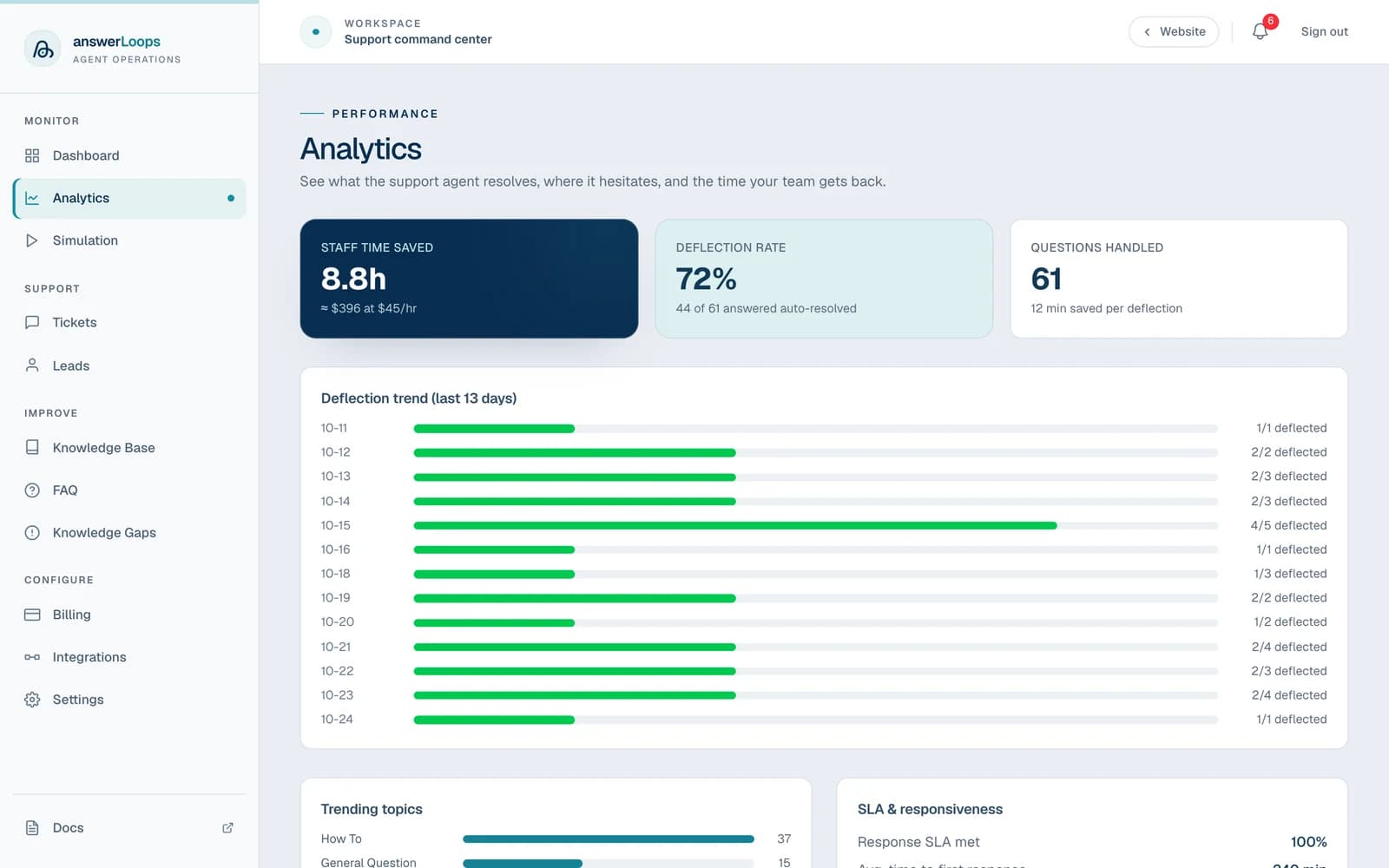
No card required. Every feature is free for 14 days, with no obligation.
MCP and API access for AI agents
Give coding assistants, internal agents, and custom tools access to the same knowledge and reviewed answers your community uses.
Through MCP or the REST API, an agent can search your docs, prepare an answer, or open a ticket for your team to follow up.
/api/mcp↳ search_kbFind relevant answers in your knowledge base
↳ generate_answerGenerate a source-grounded, reviewed answer
↳ get_faqRead your latest FAQ
↳ get_ticketsRetrieve support tickets
↳ create_ticketHand a question to your support workflow
Help new members get started and give people a place to turn when they need support.
Answer recurring questions about getting started, community rules, and events in the spaces your members already use.
Point members to the right lesson, course instructions, or membership information from the materials you already publish.
Bring questions from email, chat, and your website into one queue so your team can see what still needs a reply.
Use your quickstarts and troubleshooting guides to answer setup questions in GitHub, Discord, and on your docs site.
Give members answers about submissions, workshop instructions, and participation from the guides you maintain.
Turn useful resolutions into knowledge you can reuse when the same question comes up in another thread.
Local or custom models, migration from another support tool, or onboarding help for a larger team.
Before you start
answerLoops collects questions from your community channels and drafts replies using your documented knowledge. A separate AI review checks each draft against its sources. You can approve replies yourself or enable automatic replies for individual channels. Useful resolutions can be saved for future questions.
Yes. Automatic replies are off by default on newly connected channels. Review drafts first, then enable automatic replies for the channels where you want them. Questions that need attention stay in your team’s queue.
Import documentation pages, upload files, or connect a GitHub repository or Notion workspace. You can also save useful ticket resolutions to the knowledge base.
Hosted plans include AI usage, during your trial and every month after, so you can start without setting anything up. Every question the AI works on uses some of it, including drafts held for your team. That is why each plan lists estimated AI replies: Standard covers roughly 500 a month and higher plans include more, but longer questions and sources use more. AI replies are counted exactly and separately from this usage, so a plan can reach its included AI usage before its AI reply allowance. When that happens, drafting pauses until your usage resets next month (the trial's does not reset), or until you connect your own AI provider. To remove the limit, connect an account with a supported AI service (like Anthropic or OpenAI) and pay that service directly for the usage, separately from your answerLoops subscription.
Yes. Add the embed snippet to any website or documentation platform that supports custom JavaScript, and configure its allowed domains in Settings. The widget answers from published knowledge-base articles, and visitors do not need an account.
Community managers, course and membership teams, open-source maintainers, and customer support teams use answerLoops to answer recurring questions from their own guides and FAQs.
Start with the agent onboarding guide and connect your AI agent to your answerLoops workspace. Agents that support skills can use answerloops-operate for guided setup. Other compatible AI tools can connect through MCP or the REST API. Create an API key in Settings → API Keys and choose what your agent can access.
Yes. Every hosted plan includes MCP and REST API access for searching knowledge, reading FAQs and tickets, generating answers, and creating support tickets. Usage limits depend on your plan.
Get started
Connect a community channel or add website chat. See how both can use the guides you already maintain.
No card required. Every feature is free for 14 days, with no obligation.
View plans and model costs